Most people have one resume and send it everywhere. Some people tweak it per application. Almost nobody has time to genuinely tailor a resume for every job they apply to.
This matters more now than it used to. Applicant tracking systems are increasingly using AI to automatically filter applications, and resumes that don’t hit the right keywords for a given role get discarded before a human ever sees them. Tailoring your resume per job is the single best strategy for getting past that filter.
AI makes this trivially easy, but only if you set it up right. The naive approach of pasting your resume and a job description into ChatGPT and saying “tailor this” produces mediocre results. The resume is too short to give the AI enough to work with, and the output ends up either generic or stuffed with keywords that don’t reflect what you’ve actually done.
I liked this workflow enough that I built a product around it: Brevyx. But the underlying approach is simple, and you can do the whole thing yourself with Claude or any capable LLM. Here’s how it works.
The trick is to separate your source material from the output. You maintain one detailed master profile that knows everything professionally relevant about you. Then for each application, you give AI the master profile and the job description, and it pulls the most relevant pieces into a concise, tailored resume. Different job, different resume, same source of truth.
Step 1: Build a master profile
Start with your current resume and expand it. A resume is deliberately concise. A master profile shouldn’t be. This is your raw material, and more detail means the AI has more to work with when tailoring.
The easiest way to build this out is to have AI interview you. Feed it your current resume and ask it to identify where entries could be stronger. AI knows what good resumes look like. It’ll ask about quantifiable achievements, specific technologies, scope of impact, team size, things you probably know but didn’t think to include. A bullet that says “improved system performance” becomes “reduced P99 latency from 800ms to 120ms by migrating from synchronous to event-driven processing across 12 microservices.”
Don’t worry about length. Two pages, five pages, doesn’t matter. This document never gets sent to anyone. It’s the source the AI draws from when building the actual resume.
A few things worth including that you wouldn’t put on a normal resume: side projects with technical detail, conference talks, open source contributions, certifications you let lapse but still represent real knowledge. Anything that might be relevant to some job somewhere.
I’d also recommend keeping a separate doc with meta-information about yourself: what you’re passionate about, what kind of work culture you thrive in, what company missions align with your values, career goals, even what you do for fun. This stays separate from the master profile so the resume tailoring stays focused on professional content. But having it written down means you can later ask AI things like “how well does this role actually align with what I want?” before you spend time applying.
Step 2: Tailor the resume
This is the simple part. Give AI your master profile and the job description, and prompt something like:
Read my master profile and this job description. Create a concise tailored resume for this role by highlighting the most relevant skills, experience, and projects. Keep it to 1-2 pages. Output as markdown.
The reason markdown works well here is that it’s clean, structured, and easy to review before formatting. You can read through it, make quick edits, and it becomes the input for the next step.
Because the master profile has so much more detail than a typical resume, the AI can make real choices about what to emphasize. Applying to a platform engineering role? It’ll pull your infrastructure and CI/CD work to the top. Applying to something more product-focused? It’ll highlight the projects where you shipped user-facing features. Same person, different lens.
Step 3: Format and export to PDF
This is where it gets fun. You have a tailored resume in markdown. Now you need it to look good.
I like having Claude create an HTML template for the resume layout and interpolate the resume content into it. Use Claude’s frontend-design skill for this. Tell it you want something clean and professional, and it’ll generate an HTML page with proper typography, spacing, and layout that looks like a real resume, not a Word doc from 2008.
Once you have the HTML, just open it in your browser and print to PDF. That’s it.
Here are a few examples of resume layouts generated with the frontend-design skill, same content styled three different ways:
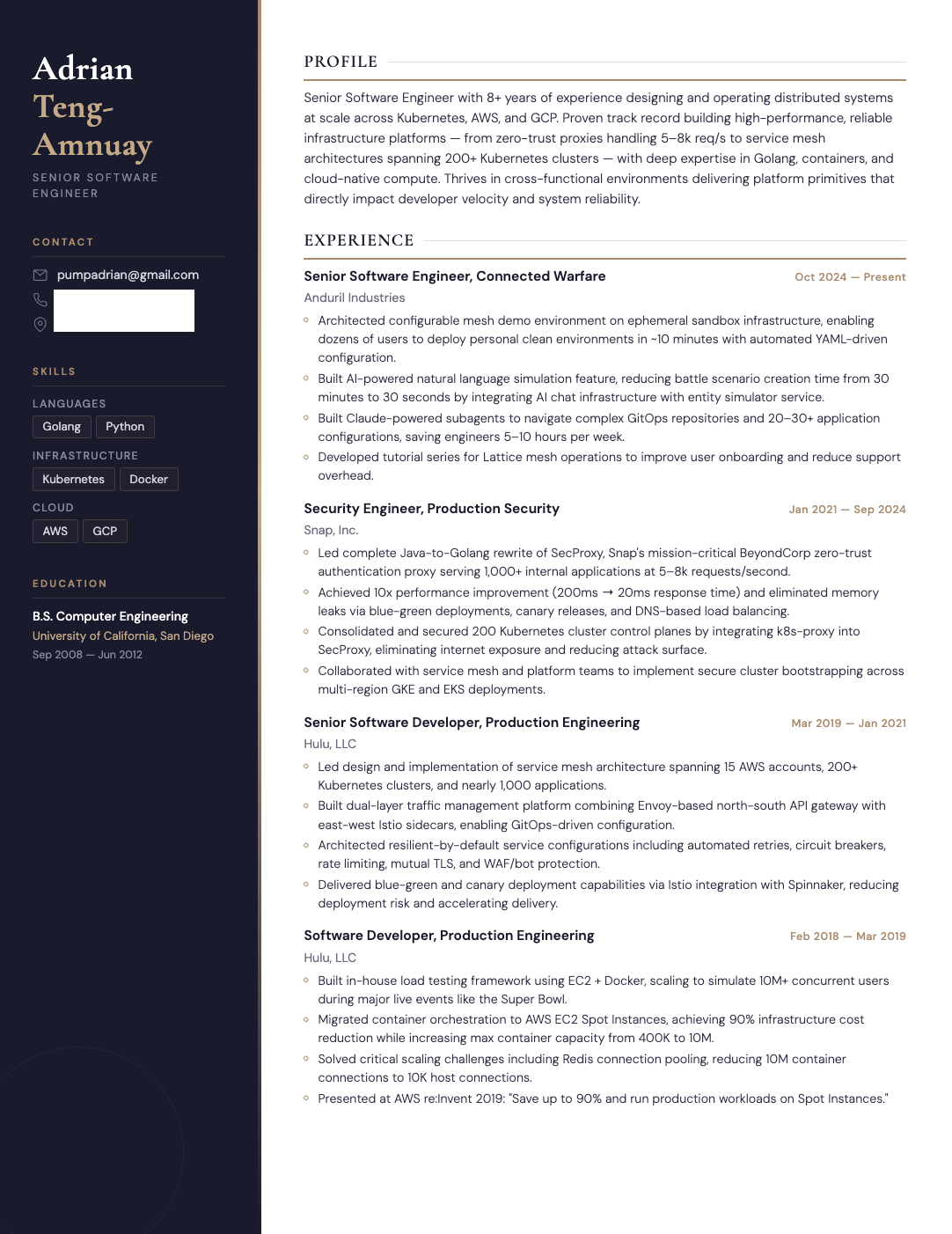
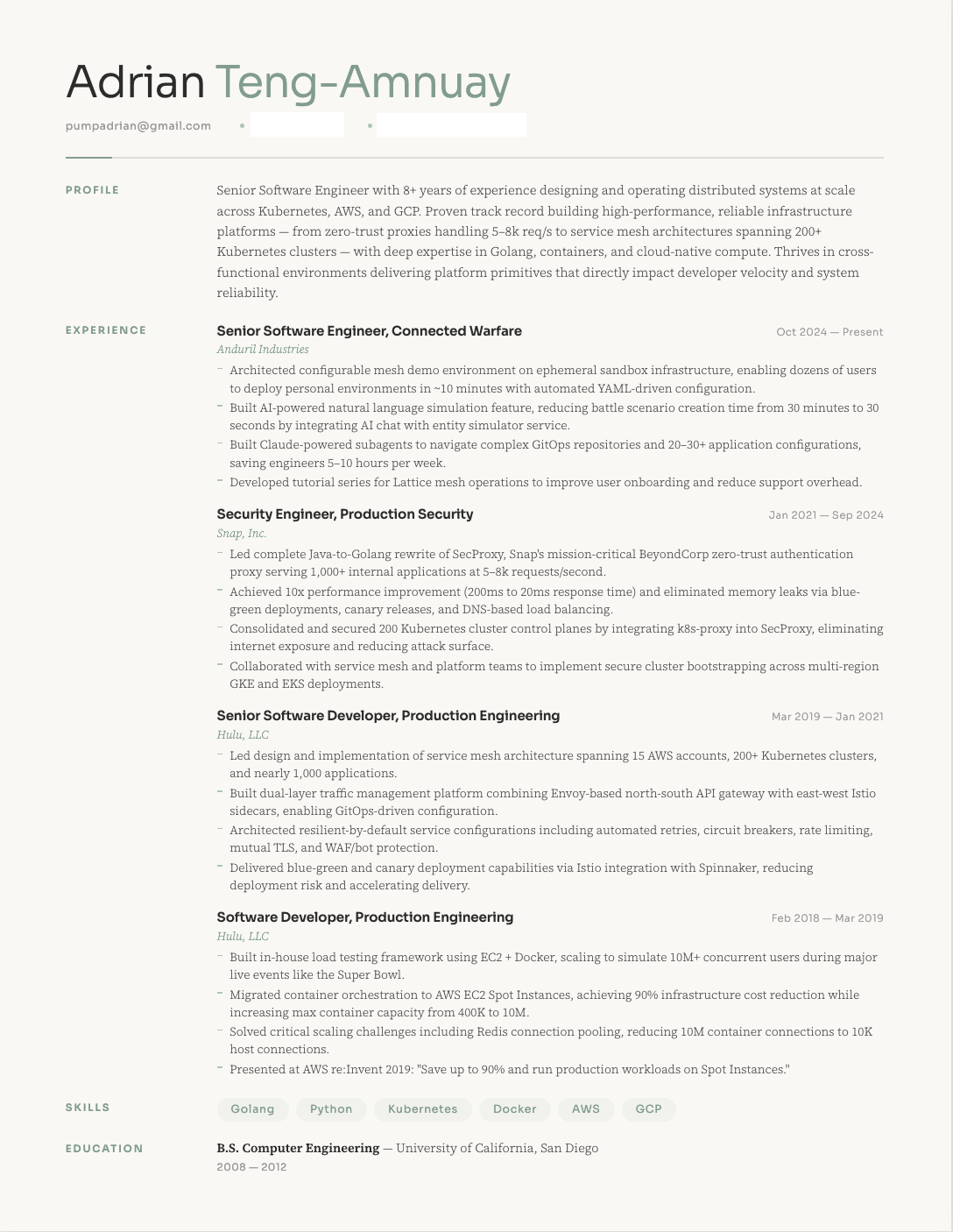
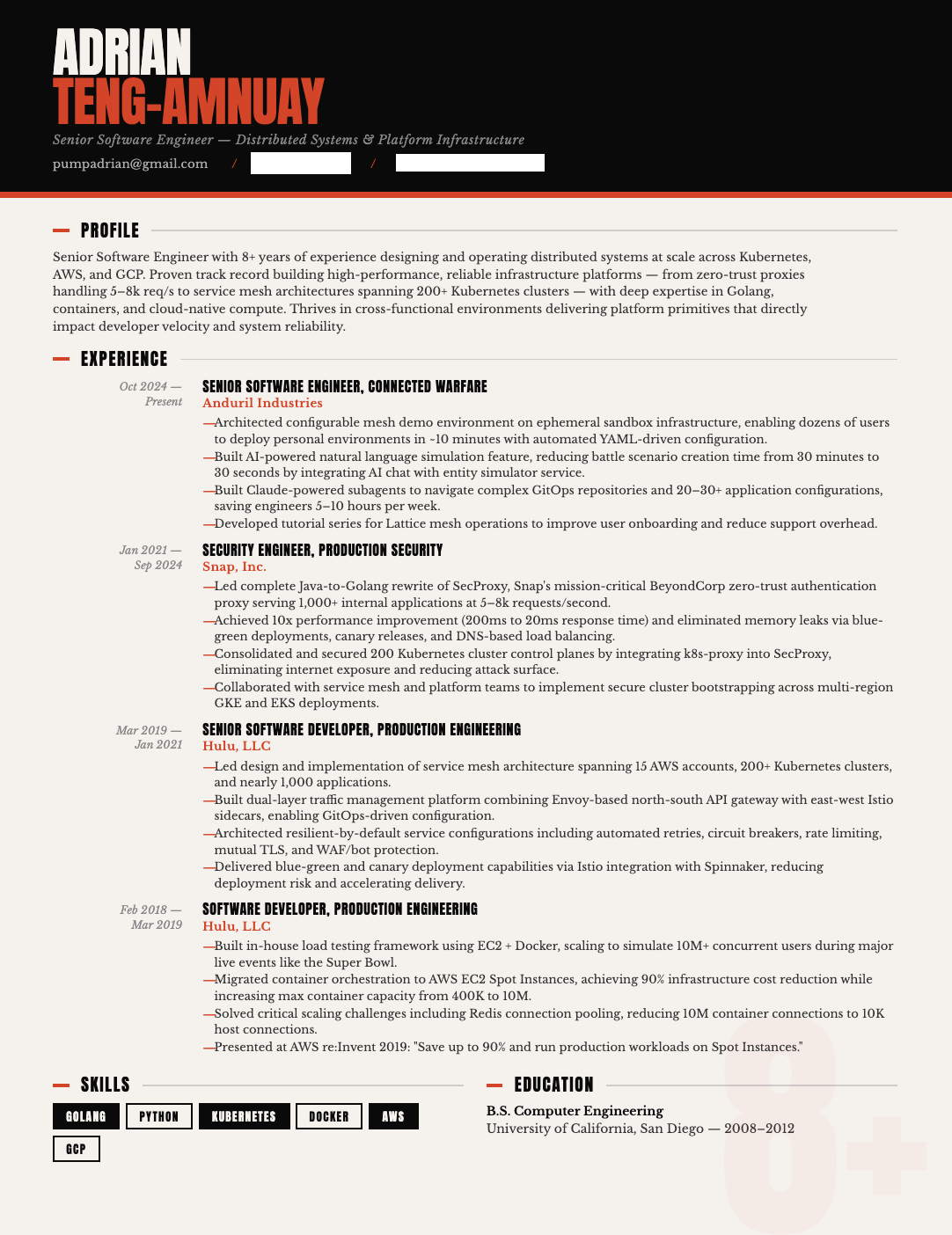
The nice thing about this approach is the template is reusable. Once you have a layout you like, every future resume just needs the content swapped in. And because it’s HTML and CSS, you have full control over the design. No fighting with Google Docs margins or paying for a resume builder subscription.
The workflow in practice
The first time through takes some effort. Building out the master profile is the biggest investment, maybe an hour of back-and-forth with AI to flesh out all your experience. Creating the HTML template takes a few iterations to get the layout right.
But after that, tailoring a resume for a new job is fast. Paste the JD, get a tailored markdown resume, plug it into your template, export to PDF. The whole thing takes minutes.
You end up with resumes that are genuinely different per application, not just the same document with a few keywords swapped. And because the master profile is comprehensive, the AI can surface experience you might have forgotten was relevant.
If you don’t want to manage the prompts and templates yourself, Brevyx wraps this whole workflow into a product with a few free resumes per month.